More Learning Choices: Mistral AI and Wolfram Alpha Launched
AI Tutor Pro now offers two new options. You can choose Mistral to power your tutoring or use Wolfram Alpha for calculations in math and science.
Try Mistral AI
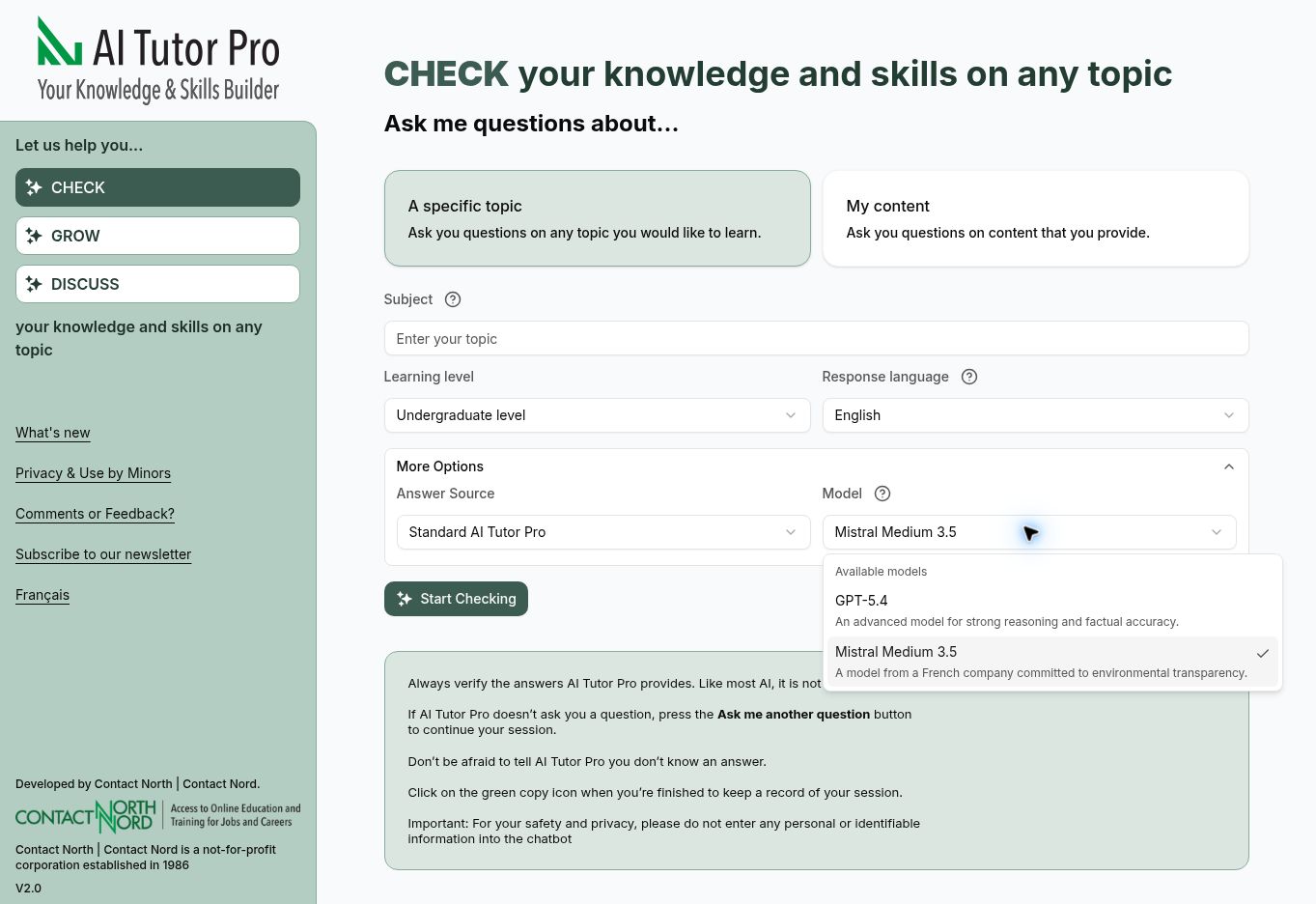
You can now choose a Mistral AI model as an alternative to the standard ChatGPT model.
Mistral AI is a French company that publishes information about its models’ environmental impact and supports greater transparency in the AI industry. This may appeal to learners and educators who consider environmental responsibility when choosing an AI tool.
Mistral also offers a European-developed option from a company operating within the European Union’s regulatory framework.
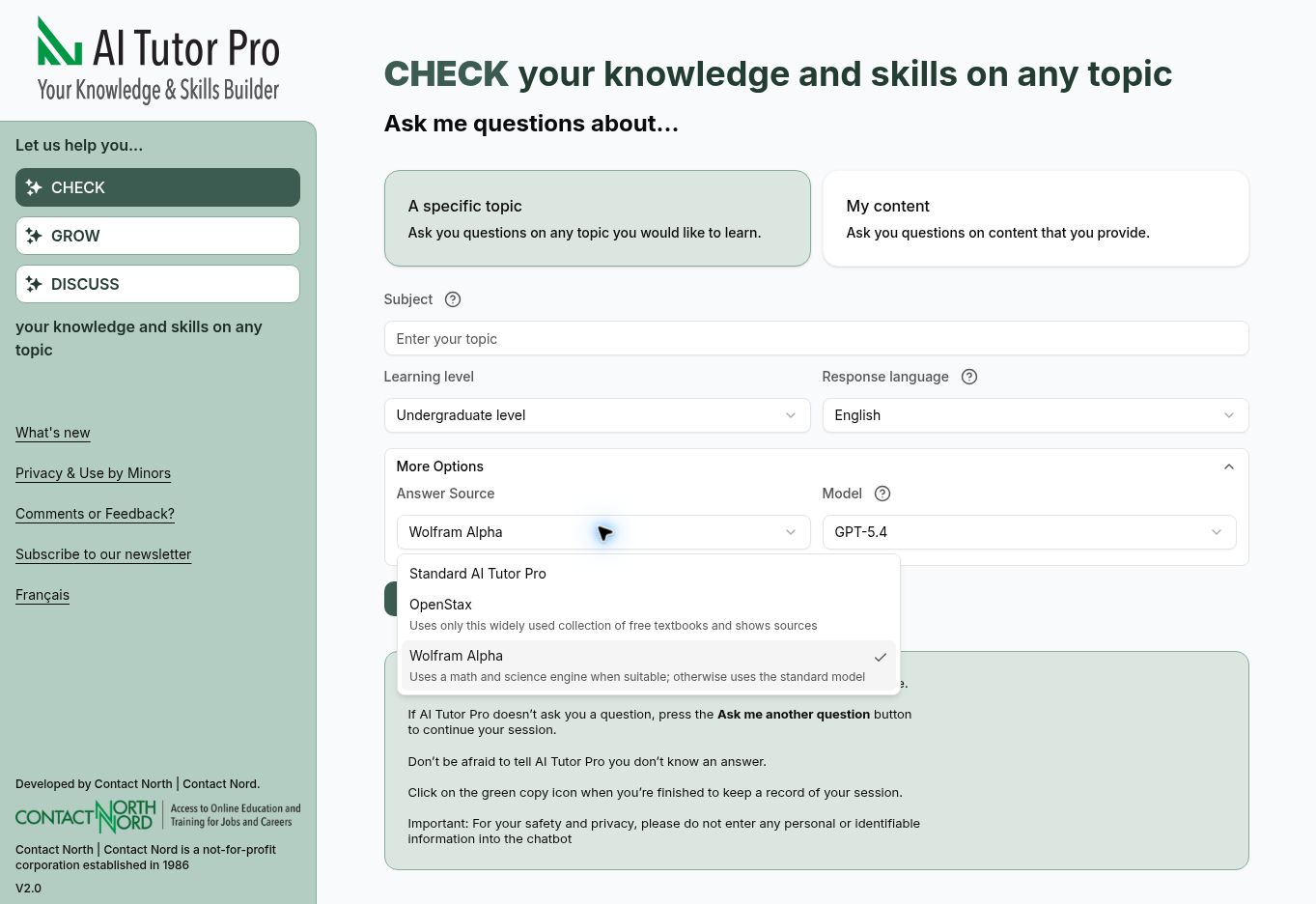
Working on math or science? You can now use Wolfram Alpha, from the makers of Mathematica, the well-established mathematical computing tool.
In Check, Wolfram Alpha uses its computational engine to calculate answers to suitable questions. AI Tutor Pro identifies when an answer comes from Wolfram Alpha. When Wolfram Alpha cannot handle a question, the tutor uses its standard model instead.
To try it, open More Options in Check and select Wolfram Alpha under Answer Source.ai-tutor-pro-wolfram-menu.jpg113.3 KBWe're always looking for ways to enhance AI Tutor Pro by bringing leading learning tools to everyone, free of charge. Please give us your feedback on our latest features: email aitutorpro@contactnorth.ca.
AI Tutor Pro Brings a Cleaner Look and Easier Navigation
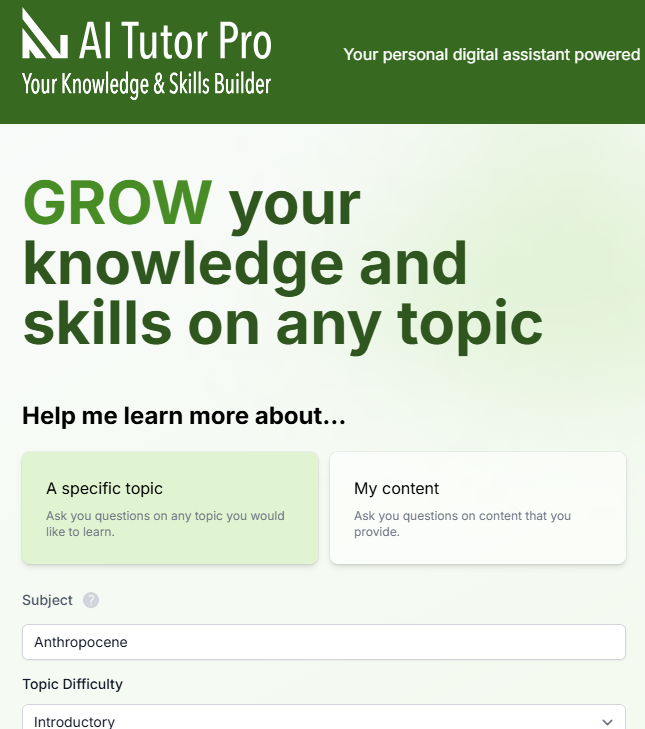
We've redesigned AI Tutor Pro to make it easier to start learning, follow your progress, and personalize your experience.
The new version brings its three core tools, Check, Grow, and Discuss, to the front of the experience. You can test your understanding, receive guided tutoring, or use the updated Discuss tool for real-time voice interaction.
The refreshed interface also introduces consistent left-side navigation, helping you move between tools without losing your place.
As before, AI Tutor Pro requires no sign-up, asks for no personal data, supports 25+ languages, and remains free for all!
New Issue: AI Tutor Pro & AI Teaching Assistant Pro Newsletter - November 2025
The latest edition of the AI Tutor Pro & AI Teaching Assistant Pro Newsletter is now available.
Learn about exciting new features and enroll in the upcoming Institute to find more details on how to use the apps.
You can now talk directly with AI Tutor Pro using the Discuss tool. With Discuss, you can use your voice to have a natural conversation about any topic you choose. Just select DISCUSS My Knowledge and Skills, enter your topic, and start talking as if you were with a live tutor.
You can jump in at any time to add ideas, ask for easier or harder questions, or request help or more explanation. Discuss also supports eight languages, making it a helpful option for language practice or for studying when English or French is not your first language.
Try it today and let us know what you think. We’re continuing to improve the voice tutor and welcome your feedback at aitutorpro@contactnorth.ca.
Which Serves Higher Education Better? AI Tutor Pro vs. ChatGPT Study Mode
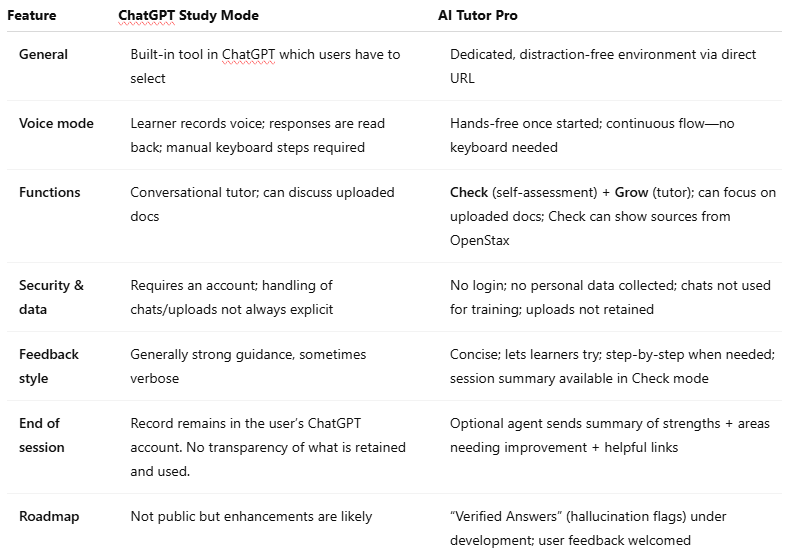
The AI Tutor Pro team recently evaluated ChatGPT’s new Study Mode. While Study Mode offers a flexible way to explore topics, AI Tutor Pro is built from the ground up for higher education. It’s designed to help students study smarter with a distraction‑free space, protect their privacy, and give them practice that actually sticks. If you’re looking for a tool to help you prep for exams, master tricky concepts, or just stay on top of your coursework, here’s how they compare. image.png61.19 KB Bottom line For higher education students who want to study in a focused environment, get clear and actionable feedback, and know their privacy is protected, AI Tutor Pro is the go‑to choice.
Try it today
Launch Check or Grow from the home screen to start practicing right away.
Want your whole class to benefit? Ask your instructor to contact us for instructions on how to install it in your campus LMS (Canvas, Moodle, D2L, Blackboard).
Quickly Look Up Any Term with AI Tutor Pro
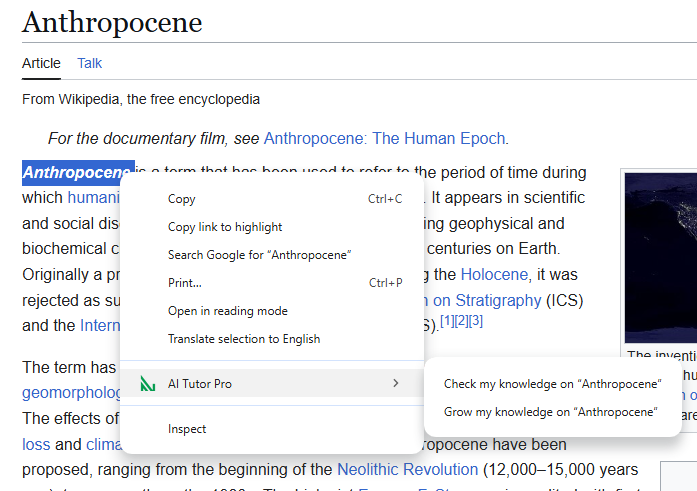
Ever stumble on a word you don’t know while browsing? With the AI Tutor Pro Chrome extension, you can go from curiosity to clarity in a single right-click. Install in Seconds
Are you concerned students might not return to your course site after visiting external resources? Now, you can effortlessly embed AI Tutor Pro directly into your LMS, keeping students engaged and on track within your own secure course environment.
We’ve created short, practical videos demonstrating how to integrate AI Tutor Pro into the four leading LMS platforms in higher education: Blackboard Ultra, Canvas, D2L Brightspace, and Moodle.
See the February 14, 2025 edition of AI Tutor Pro Newsletter
Visit this link to see exciting updates and what's coming next for AI Tutor Pro!
November 25, 2024 AI Tutor Pro Newsletter Released
Read the November 25, 2024 edition of the AI Tutor Pro Newsletterto learn about how you can customize AI Tutor Pro content with the new Faculty Assistant, and discover how tutoring sessions can now be restricted only to OpenStax textbooks. Stay informed, stay curious, sign up for the AI Tutor Pro Newsletter today!
Boost Your Learning Confidence with AI Tutor Pro's New OpenStax Integration
Worried about AI mistakes or unclear sources? With our new OpenStax integration of AI Tutor Pro, all answers now come directly from OpenStax.org—trusted by over 7 million students and 10,000 faculty worldwide. This means you get accurate, peer-reviewed information you can trust. No more guessing—now you know exactly where your answers come from.
How to Use the OpenStax Feature Using the OpenStax feature is simple:
Enter your topic, check the OpenStax box, and select one of the 12 subject areas on the pull-down menu.
Click Start.
You'll receive similar questions as before with the Check tool, but now you can see the source of each correct answer.
Click the link to go directly to the relevant OpenStax textbook chapter. For example, if you're studying Biology and ask about cellular respiration, you'll get answers sourced directly from OpenStax Biology 2e, Chapter 7.
Why It Matters AI Tutor Pro's new OpenStax feature gives you the confidence to master any subject. Here's how:
Verified Answers: Eliminate uncertainty with answers sourced directly from trusted OpenStax textbooks used by millions of students and faculty.
Deeper Understanding: Explore concepts further with one click access to relevant textbook chapters for in-depth explanations and examples.
Reduced Stress: Ease exam anxiety with reliable answers and clear explanations, allowing you to focus on mastering the concepts.
Efficient Learning: Save time by getting the information you need right at your fingertips, making your study sessions more effective.
This feature transforms AI Tutor Pro into a comprehensive digital learning companion that supports you in achieving your academic goals, whether you're prepping for exams or exploring new subjects.
"The OpenStax feature is a game-changer! Being able to see exactly where the information comes from makes me much more confident in my learning. Plus, I can easily dive deeper into topics I find interesting." - Sarah M., Biology Major
Try It Today! Try the OpenStax feature today for reliable answers. The scope is currently limited to the available 70+ OpenStax books, but for these topics, it's a game changer. Whether you're preparing for exams, refreshing your knowledge, or exploring new subjects, AI Tutor Pro with OpenStax can help you take your learning to the next level.